
Step 1
Scan barcodes
Capture barcodes and item details while you walk a shelf, closet, workshop, or stockroom.
Discuss this page
Choose your assistant for a short summary and practical next steps.
If the prompt is not filled in, paste the copied text. Your assistant may need you to paste the page content.
Inventory counting for small businesses
Scan products, parts and supplies on your phone. Count offline, prepare supplier orders and export Excel or CSV.
Permanent Free plan · Up to 1,000 catalog items · 1 device
Real screens from Retail Scan & Stock: from the home dashboard and barcode scanner to count documents and purchase orders.
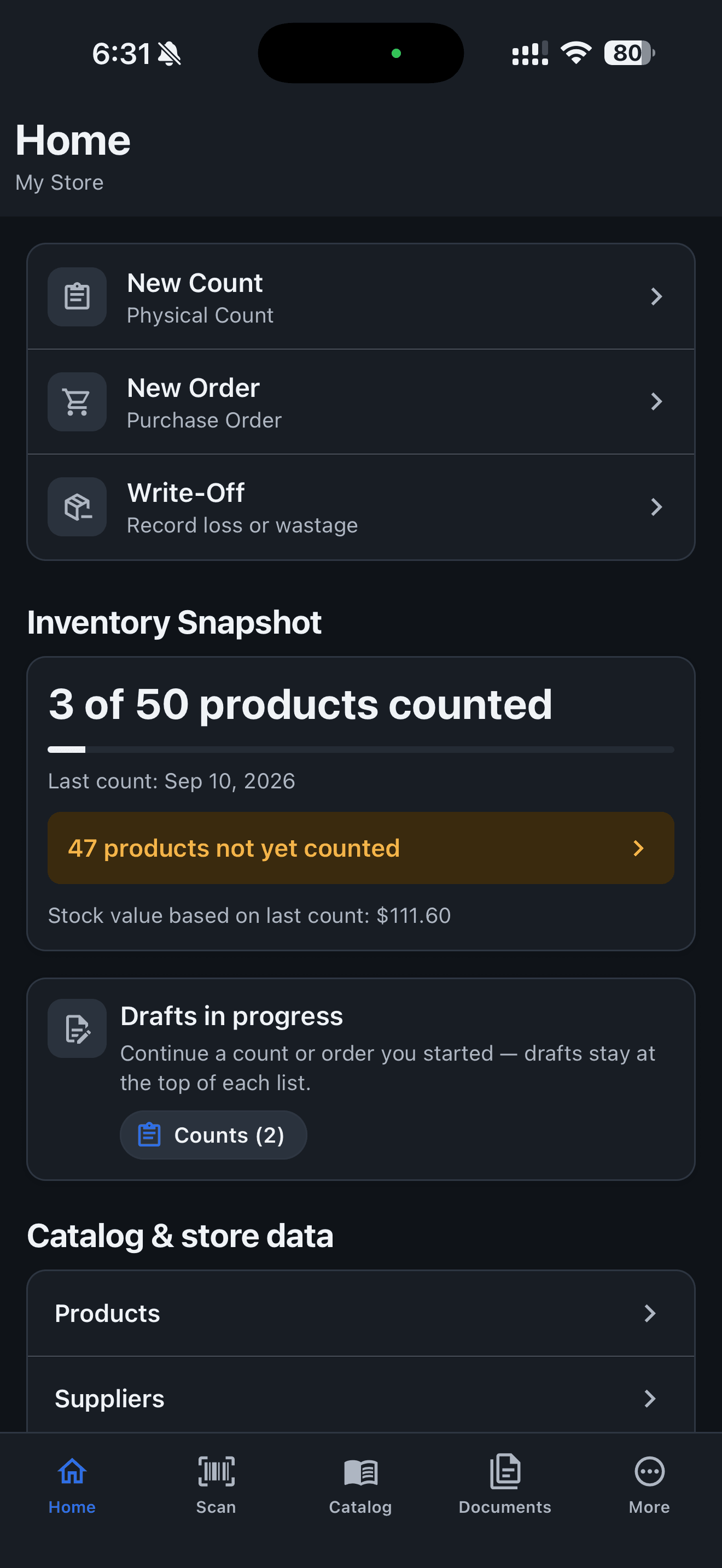
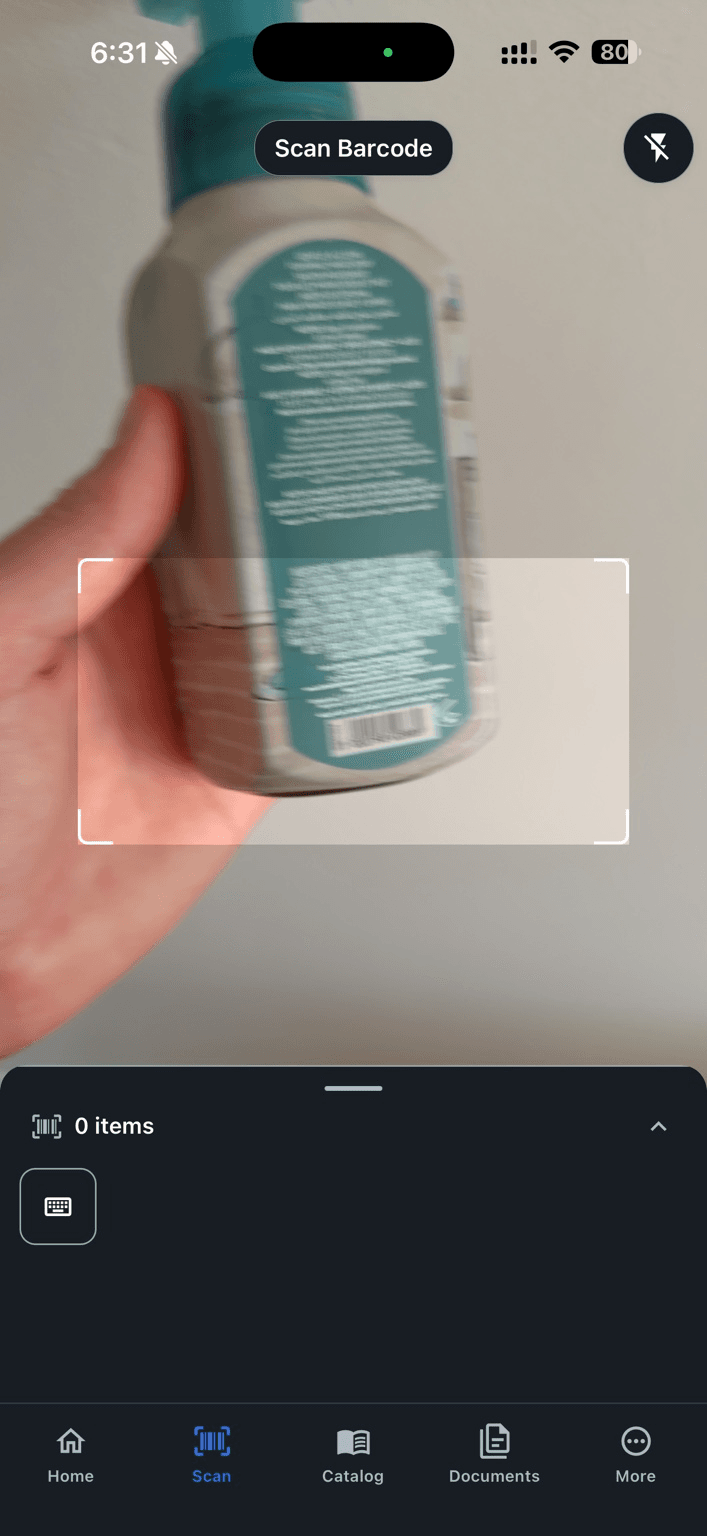
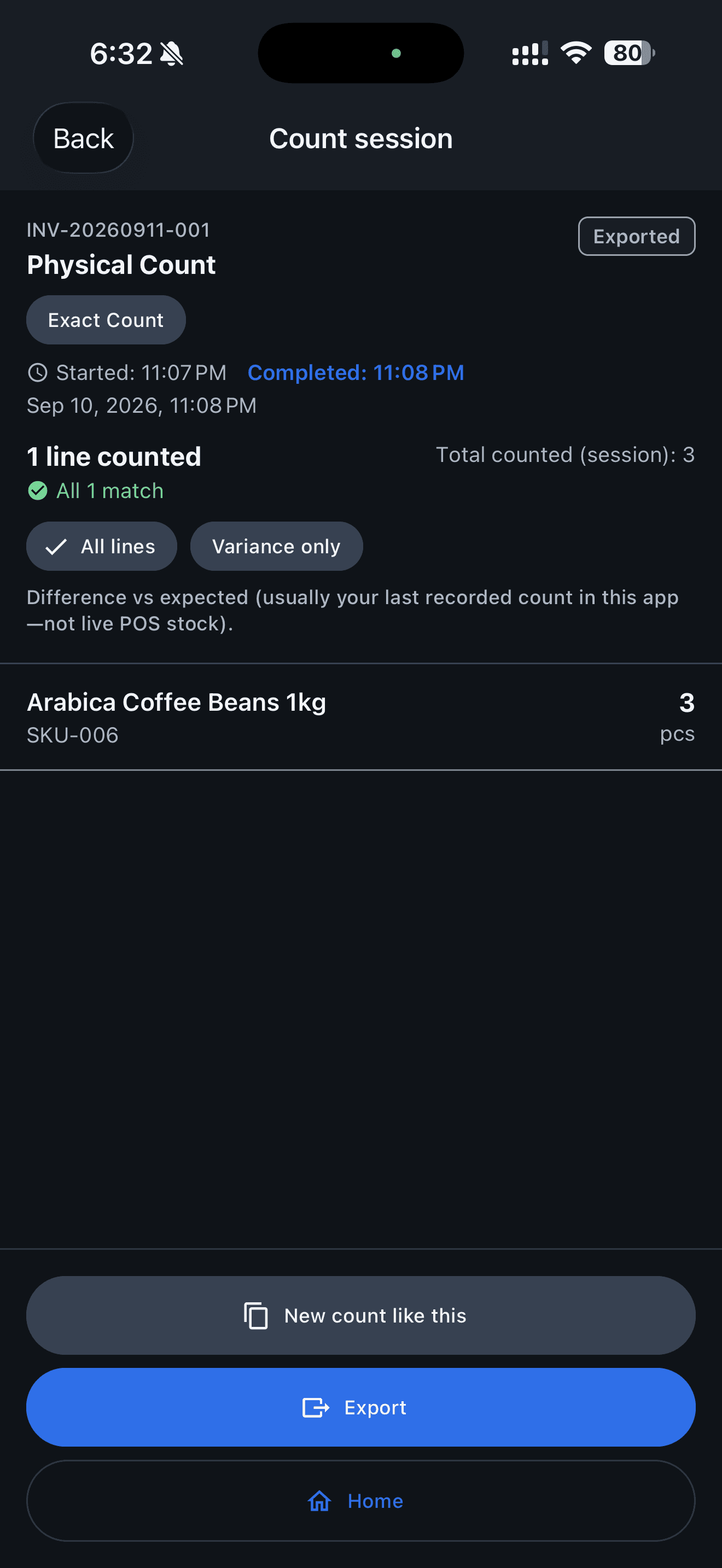
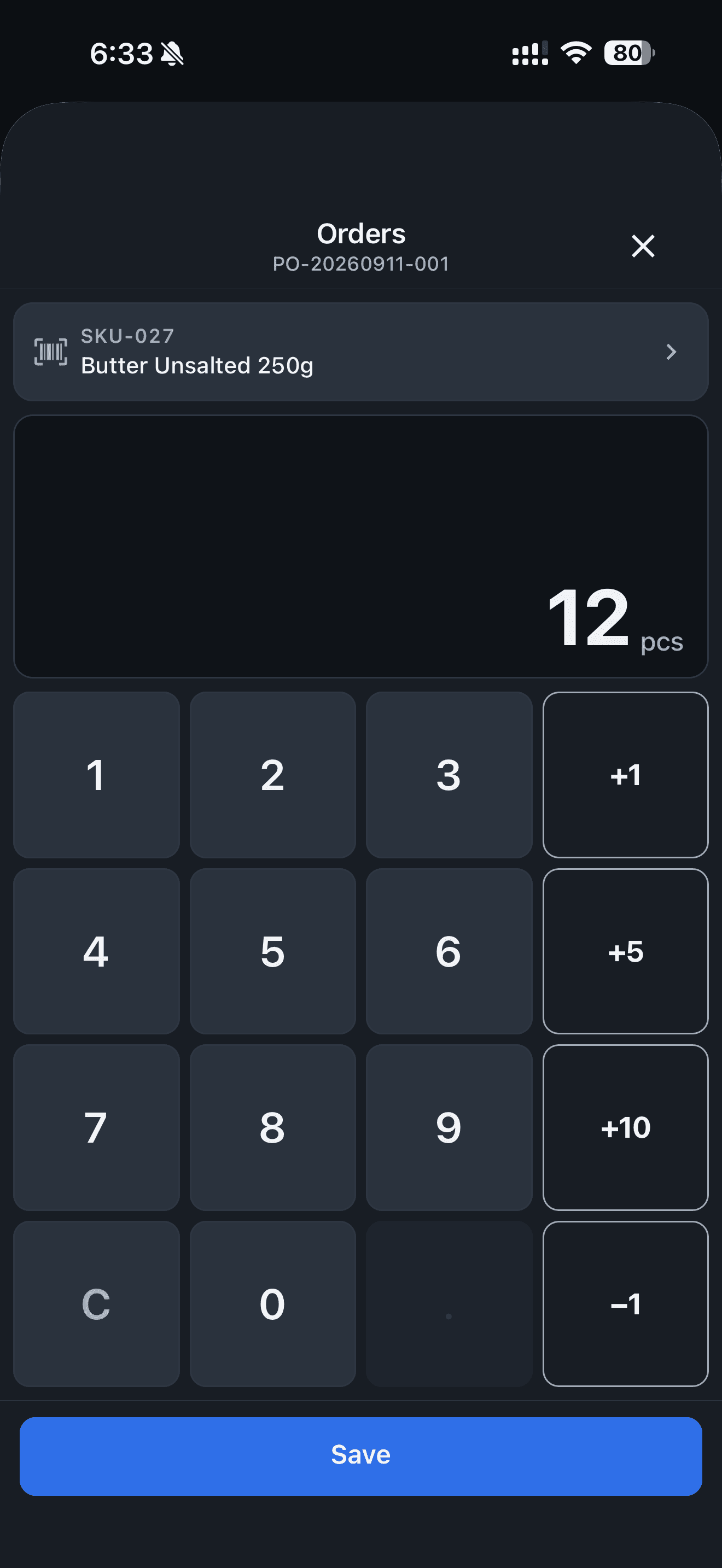
Run stock counts and draft purchase orders without waiting on Wi‑Fi. Core work stays on your phone.
Scan shelves, stockrooms, closets, and vans on a phone—not desk software squeezed onto a screen.
Your catalog and documents stay on the device until you export or share them.
Permanent Free plan for local inventory counts and purchase orders on 1 device, without cloud sync. Paid plans add cloud sync across devices, billed per account.
From barcode scans on the floor to files you can send to a supplier, owner, or accountant.
Step 1
Capture barcodes and item details while you walk a shelf, closet, workshop, or stockroom.
Step 2
Record what is physically on hand—products, parts, supplies, or consumables.
Step 3
Turn counted shortages into purchase orders you can export and share.
Step 4
Send CSV or Excel reports to owners, managers, accountants, suppliers, or head office.
Add your own items or import an Excel/CSV catalog. Count one shelf and export your first report.
Download Sample CSVSynthetic example data. Import the barcode column as text to preserve leading zeros.
Stock counting, purchase orders, and exports for small-business workflows—not enterprise overhead.
Keep working when the network drops. Core inventory counting and purchase orders run locally; optional cloud sync is available on paid plans.
Designed for speed on a phone so you can finish counts during business hours.
Build purchase orders from what you scanned and counted—not guesswork from memory.
Export CSV or Excel and share through email, messaging, or your usual channels.
Large taps, clear screens, and flows that match how small teams actually count stock.
On the free tier your business data stays on your device until you export or share it.
For teams that count physical stock where it sits—not a corporate procurement department.
Useful anywhere physical stock needs to be counted.
If a business has shelves, a stockroom, supply closet, workshop, service van, kiosk, or branch location containing physical products, parts, supplies, or consumables that need periodic counting and replenishment, Retail Scan & Stock may fit that workflow.
It is a mobile app for physical stock counting, reordering, and reporting. It is not an ERP, warehouse-management system, asset tracker, or POS.
Retail Scan & Stock began with retail workflows, and stores remain a major use case.
Staff at a branch, kiosk, workshop, or remote site count on the phone, export CSV or Excel, and send the file to the owner, manager, accountant, or head office—without POS integration.
Retail Scan & Stock is built by A&A Tech, a small team with years of experience in retail and supply chain software. We started with store counting and ordering because small operators needed the same practical tools larger chains use, without the cost and complexity of enterprise software. The same count → reorder → report loop now helps other small businesses with physical stock.
Retail Scan & Stock is a mobile app for businesses that need to count physical stock, scan barcodes, record quantities, prepare purchase orders, and share inventory reports. Retail remains a core example; cafés, salons, repair shops, cleaning teams, and stockrooms use the same loop.
You maintain a simple catalog of products, parts, supplies, or consumables, run stock counts on your phone, build purchase orders where useful, and export CSV or Excel when you are ready to share.
An offline inventory workflow matters in stockrooms, coolers, vans, and back rooms: core counting and order drafts keep working without a reliable connection, and your data stays on the device until you export or share it. Optional cloud sync is available on paid tiers for teams that need it.
Completing a count updates on-hand stock in the app. From there you can prepare a reorder and share the file with a supplier, owner, manager, accountant, or head office.
Straight answers about how Retail Scan & Stock fits day-to-day inventory work in small businesses.

Scan barcodes, count stock, and create purchase orders directly from your phone. Download Retail Scan & Stock for iOS and Android to get started.
Install the app on your phone or tablet. Core inventory counting and purchase orders run offline on your device.
Available on Apple App Store and Google Play.
By using the app you agree to our Terms and Privacy Policy.
Self-onboarding
Start in minutes—no sales calls.
Works offline
Keep counting when the network drops.
Built for small businesses
Practical counting for shelves, stockrooms, and vans.
Need help or want to share feedback? Send us a note.