Try one shelf first
Add your own items or import an Excel/CSV catalog. Count one shelf and export your first report.
Guides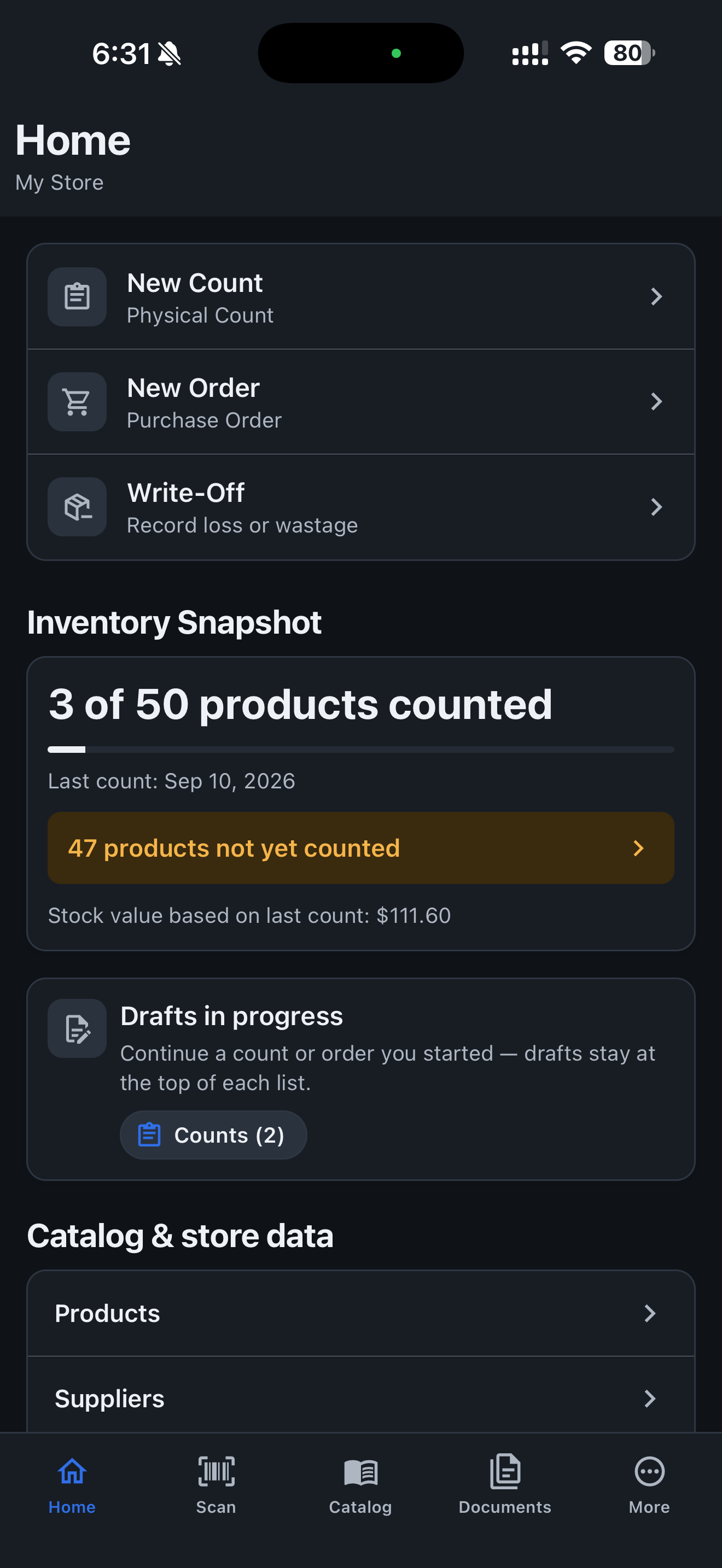
Discuss this page
Choose your assistant for a short summary and practical next steps.
If the prompt is not filled in, paste the copied text. Your assistant may need you to paste the page content.
Official product information
Official product facts, descriptions, store links, brand assets, screenshots, and contact information for reviewers, journalists, directories, and partners.
Retail Scan & Stock is a mobile inventory counting and reordering app for small businesses that need to scan barcodes, count physical stock, prepare purchase orders, and share inventory reports without complicated inventory software.
Use counted stock and your min/max rules to suggest quantities, round to order multiples and prepare drafts by assigned supplier.
Retail Scan & Stock is a mobile app for businesses that need to count physical stock, scan barcodes, record quantities, prepare purchase orders, and share inventory reports. Retail remains a core example; cafés, salons, repair shops, cleaning teams, and stockrooms use the same loop.
Scan products, parts and supplies on your phone. Count offline, prepare supplier orders and export Excel or CSV. Retail Scan & Stock is a mobile app for businesses that need to count physical stock, scan barcodes, record quantities, prepare purchase orders, and share inventory reports. Retail remains a core example; cafés, salons, repair shops, cleaning teams, and stockrooms use the same loop.
You maintain a simple catalog of products, parts, supplies, or consumables, run stock counts on your phone, build purchase orders where useful, and export CSV or Excel when you are ready to share. Use counted stock and your min/max rules to suggest quantities, round to order multiples and prepare drafts by assigned supplier. It is a mobile app for physical stock counting, reordering, and reporting. It is not an ERP, warehouse-management system, asset tracker, or POS.
If a business has shelves, a stockroom, supply closet, workshop, service van, kiosk, or branch location containing physical products, parts, supplies, or consumables that need periodic counting and replenishment, Retail Scan & Stock may fit that workflow.
Retail Scan & Stock is a mobile app for businesses that need to count physical stock, scan barcodes, record quantities, prepare purchase orders, and share inventory reports. Retail remains a core example; cafés, salons, repair shops, cleaning teams, and stockrooms use the same loop.
You maintain a simple catalog of products, parts, supplies, or consumables, run stock counts on your phone, build purchase orders where useful, and export CSV or Excel when you are ready to share. Use counted stock and your min/max rules to suggest quantities, round to order multiples and prepare drafts by assigned supplier.
An offline inventory workflow matters in stockrooms, coolers, vans, and back rooms: core counting and order drafts keep working without a reliable connection, and your data stays on the device until you export or share it. Optional cloud sync is available on paid tiers for teams that need it.
Completing a count updates on-hand stock in the app. From there you can prepare a reorder and share the file with a supplier, owner, manager, accountant, or head office.
No subscription. You can stay on this tier at $0 indefinitely—it is genuinely free, not a time-limited trial. Keep working when the network drops. Core inventory counting and purchase orders run locally; optional cloud sync is available on paid plans.
It is a mobile app for physical stock counting, reordering, and reporting. It is not an ERP, warehouse-management system, asset tracker, or POS.
No subscription. You can stay on this tier at $0 indefinitely—it is genuinely free, not a time-limited trial. Install the app and build your catalog.
Scan barcodes
Capture barcodes and item details while you walk a shelf, closet, workshop, or stockroom.
Count stock
Record what is physically on hand—products, parts, supplies, or consumables.
Create purchase orders
Turn counted shortages into purchase orders you can export and share. Use counted stock and your min/max rules to suggest quantities, round to order multiples and prepare drafts by assigned supplier.
Export and share
Send CSV or Excel reports to owners, managers, accountants, suppliers, or head office.
Count locally. Report centrally.
Staff at a branch, kiosk, workshop, or remote site count on the phone, export CSV or Excel, and send the file to the owner, manager, accountant, or head office—without POS integration.
It is a mobile app for physical stock counting, reordering, and reporting. It is not an ERP, warehouse-management system, asset tracker, or POS.
Use these current, production-approved Retail Scan & Stock assets without modification.


Add your own items or import an Excel/CSV catalog. Count one shelf and export your first report.
GuidesMin / Max
Use counted quantities and min/max settings to calculate proposed orders. Review quantities before creating supplier drafts.
How min/max replenishment works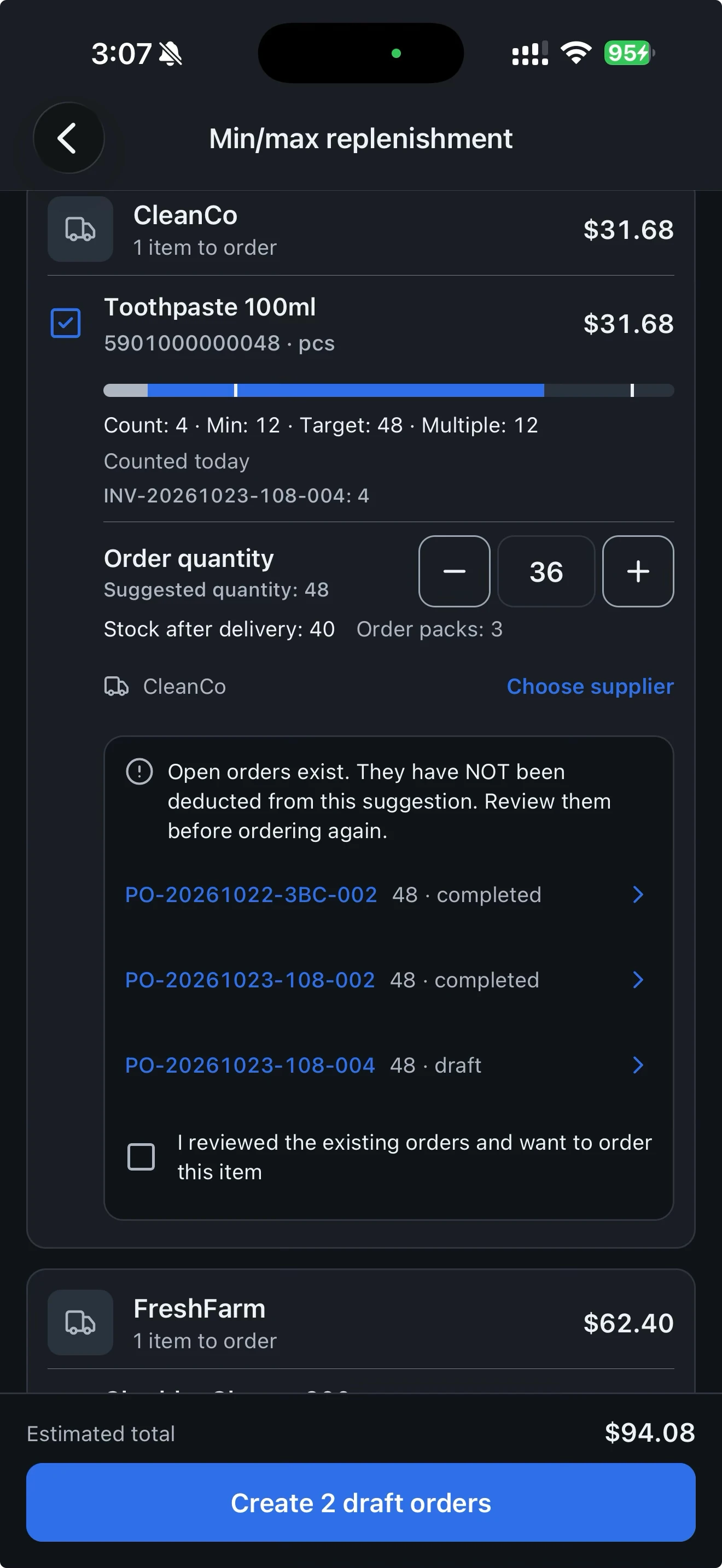
Scan and record quantities at the shelf. Export the result instead of copying handwritten notes into a spreadsheet.
Count stock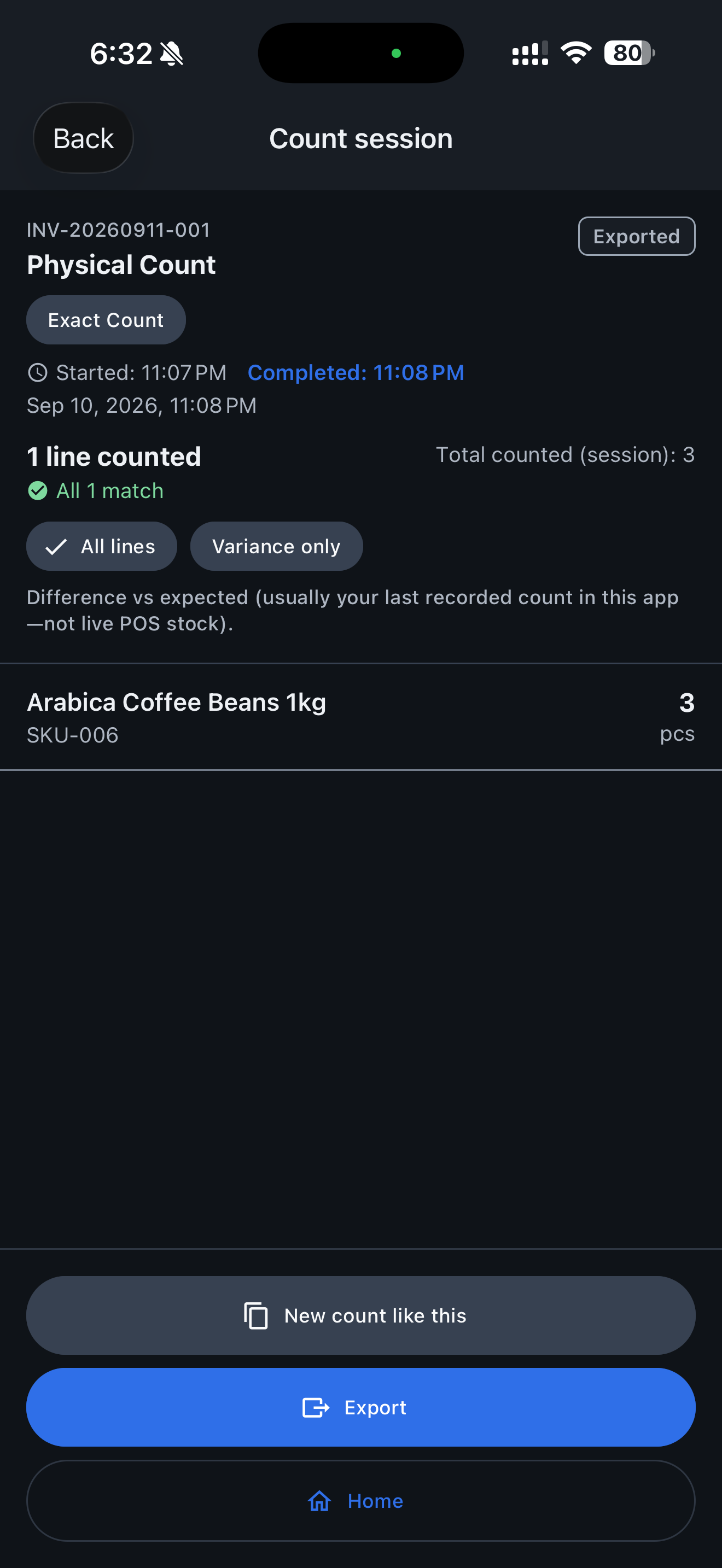
Turn counted shortages into purchase orders you can export and share. Use counted stock and your min/max rules to suggest quantities, round to order multiples and prepare drafts by assigned supplier.
Create purchase orders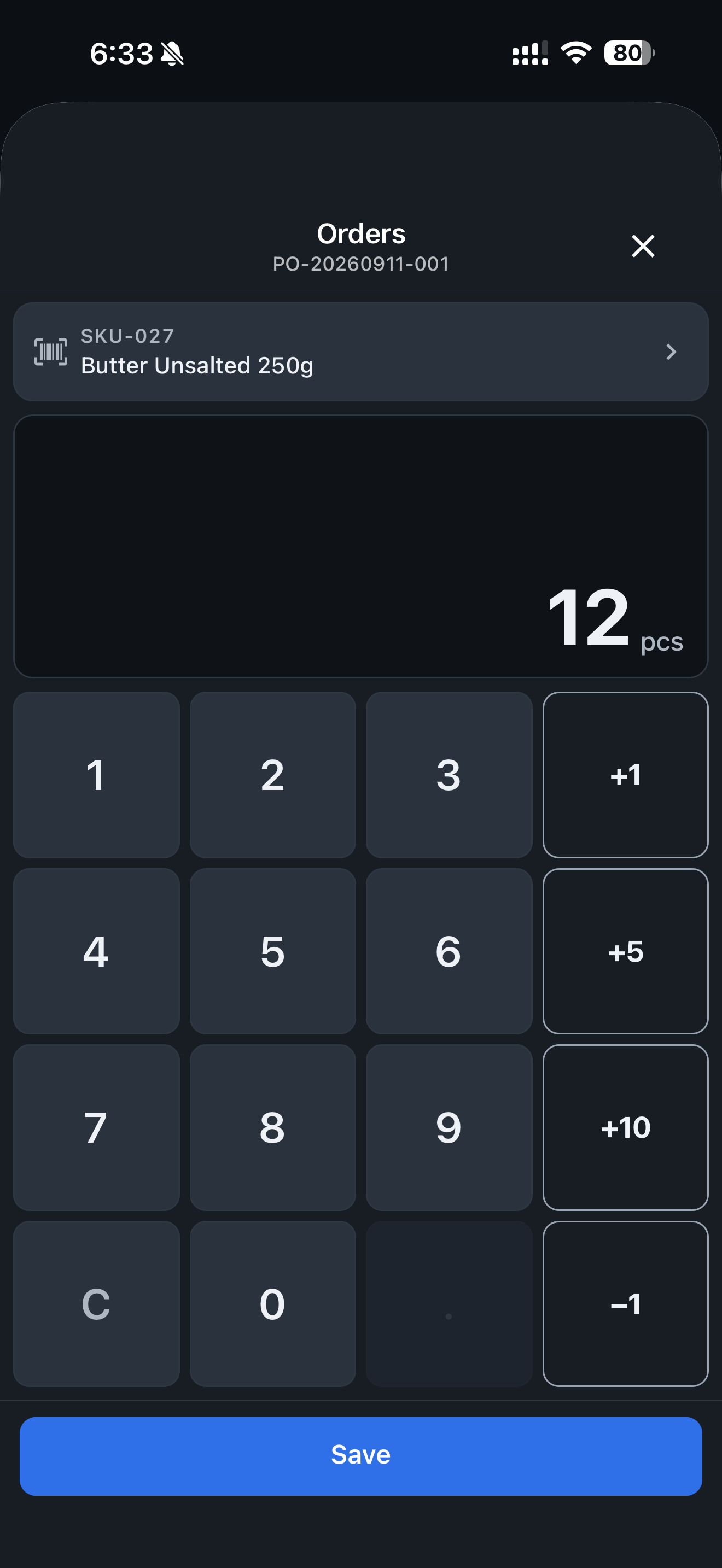
See which counts are old before deciding where a fresh count is needed. Use counted stock and your min/max rules to suggest quantities, round to order multiples and prepare drafts by assigned supplier.
A desktop companion for owners on Store, Multi-Store and Business. Review products, last-counted stock and documents from your phone app. Owners and managers of paid accounts can view records, export data, check overview analytics, approve purchase orders, and import product catalogs. The web cabinet is for viewing and exporting your data; owners and managers can also approve purchase orders and import the catalog. Make changes in the mobile app. The cabinet also supports purchase order approval for owners and managers on Multi-Store and Business, and catalog import from CSV or Excel.
How min/max replenishment works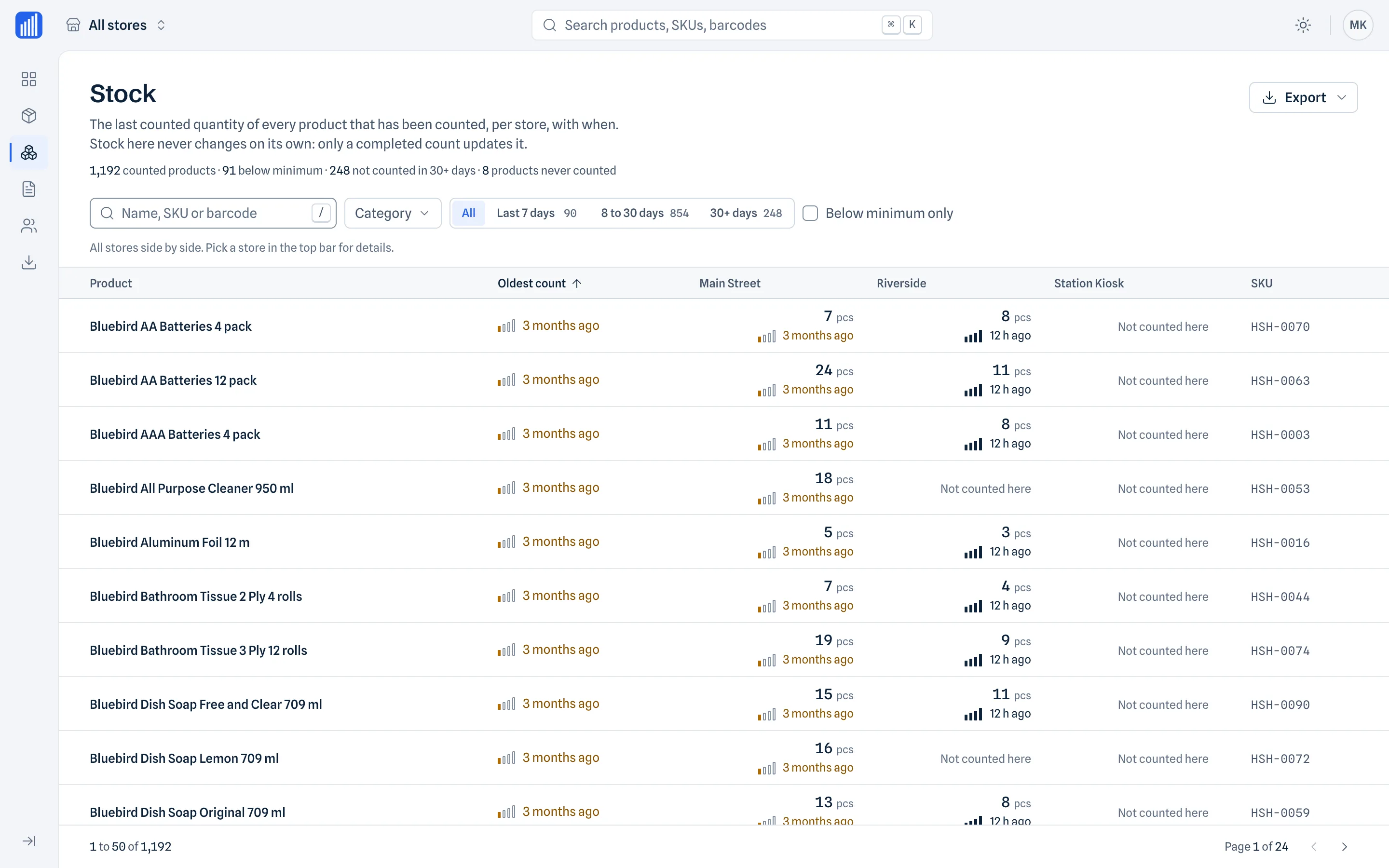
Set a minimum, a target maximum, an order multiple and a supplier for each product. After counting, review the suggested replenishment and create separate purchase-order drafts for the assigned suppliers.
A desktop companion for owners on Store, Multi-Store and Business. Review products, last-counted stock and documents from your phone app. Owners and managers of paid accounts can view records, export data, check overview analytics, approve purchase orders, and import product catalogs. The web cabinet is for viewing and exporting your data; owners and managers can also approve purchase orders and import the catalog. Make changes in the mobile app. The cabinet also supports purchase order approval for owners and managers on Multi-Store and Business, and catalog import from CSV or Excel.
Guides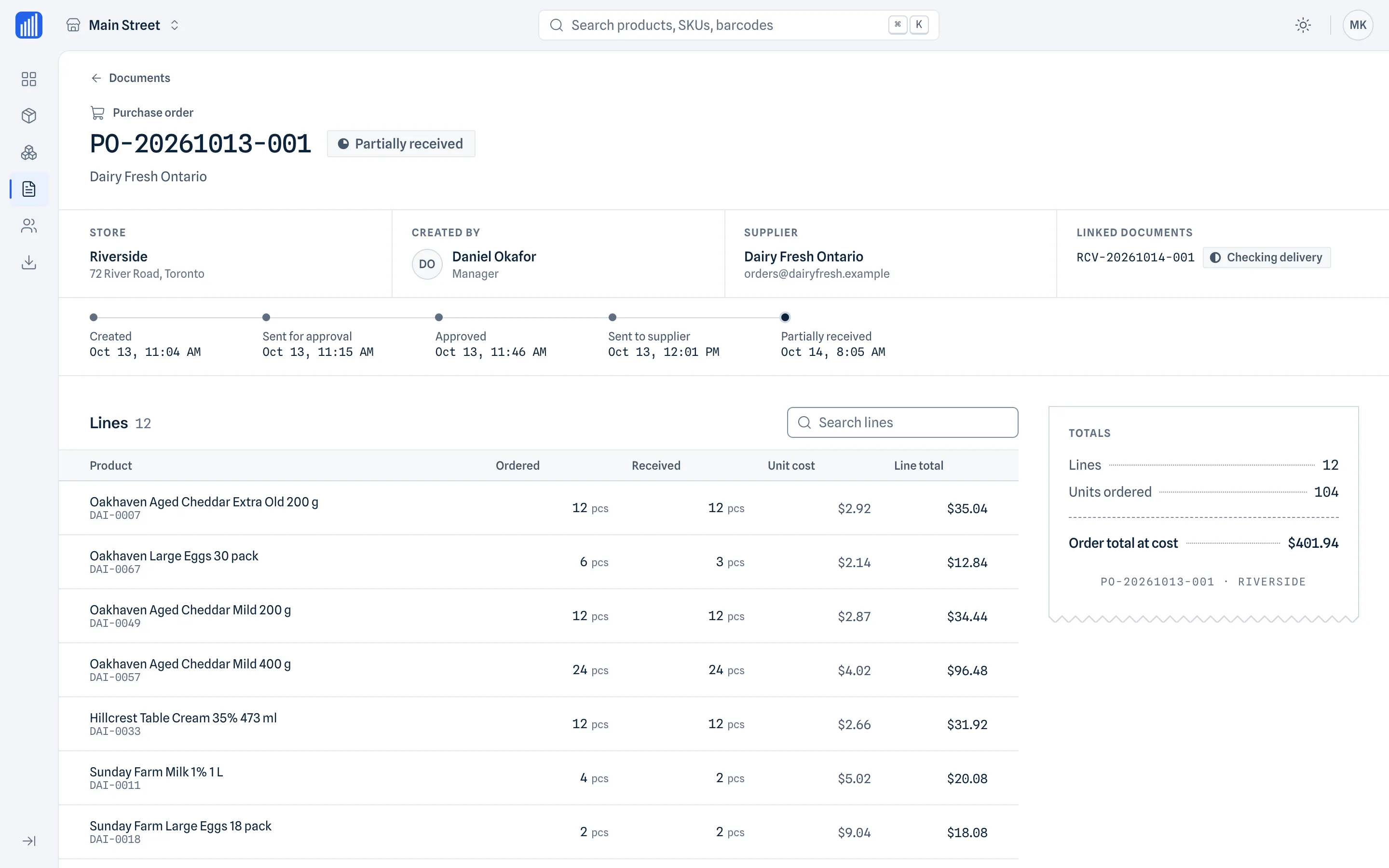
The official product name is “Retail Scan & Stock.” Please use the supplied product name, logo, screenshots, and product descriptions accurately and avoid implying functionality not described on the official website.
For factual questions about the product, media requests, or partnership inquiries, use the public contact address or support page below.
Set a minimum, a target maximum, an order multiple and a supplier for each product. After counting, review the suggested replenishment and create separate purchase-order drafts for the assigned suppliers.
Suggested order
Illustrative calculation, not an app screenshot. A count of 4 is below the minimum of 5. Reaching 20 needs 16 units; rounding to multiples of 6 gives an order of 18 and a resulting quantity of 22. Review open orders yourself: they are not deducted automatically. Orders are not sent automatically.
Free includes offline min/max setup, Excel updates, selection of multiple counts, calculation, order creation and export. Its limits remain 1,000 products, 1 supplier, 5 open documents and 1 device. Separate orders for several suppliers require a plan with the corresponding supplier allowance.
At or below the minimum, the app calculates the quantity needed to reach your maximum. When an additional order multiple applies, it rounds up to that multiple. Rounding can take the resulting stock above the target.
Start from a completed count or select several completed counts from Orders. The latest counted line for each product is used by default. Add quantities only when you explicitly select counts of separate parts of the same stock.
Set min/max for each store manually or through Excel. Export the catalog, update the filled fields and preview the import before applying it. Product identifiers keep updates linked to existing items, including items without barcodes.
Check quantities, assigned suppliers and warnings about known open orders before creating drafts. Open orders are not automatically deducted. You choose what to export and share; the app does not forecast demand, select the cheapest supplier or send orders automatically.
Teams can calculate and prepare drafts offline. Completing or exporting a min/max order requires a successful sync and conflict check.