

How to record a partial supplier delivery
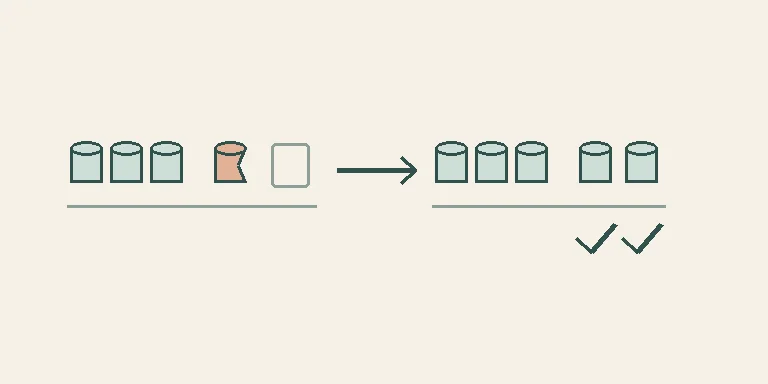
Receive only what you accept. For an order of 36 with 24 physically delivered and 2 damaged, record 22 accepted, 12 missing and 2 damaged. Resolve the missing and damaged quantities separately before closing the order.
See the full receiving workflowBy Neil Singh
Record the first delivery before signing
- Match the shipment to the purchase order, line, pack size and location. Count physical units and set damaged goods aside. Note the actual arrival and visible damage on the delivery record before acknowledging receipt.
- Log the accepted quantity and both exceptions with the delivery reference, a photo if useful, and the person who can follow up. Keep the purchase order’s original 36 as your reference.
- Ask for a date for the missing goods and a separate decision about the damaged goods. Track confirmations, credits and any actual deliveries as separate entries.

Order PO-36 for tins
When the supplier confirms a second shipment of 12 plus 2 replacements, leave both balances open until you count and accept the goods. If all 14 arrive undamaged, the cumulative accepted quantity becomes 36.
If the supplier cancels the 12, record that agreement and the revised commitment. If the supplier credits the 2 damaged units, record the credit or return and close that exception separately. Neither action creates a physical receipt.
If the 12 are cancelled, the revised commitment is 24 and accepted stays at 22 while the damage case is open. If the order stays open and only the 2 replacements arrive, accepted rises to 24 and the original 12 are still due.
| Event | Accepted so far | Missing open | Damage open |
|---|---|---|---|
| First delivery arrives | 22 | 12 | 2 |
| Second shipment confirmed | 22 | 12 | 2 |
| 12 missing and 2 replacements accepted | 36 | 0 | 0 |
Mistake to avoid
A promise or credit does not put goods on the shelf. Retail Scan & Stock can record a receipt against an eligible purchase order. Its displayed stock still reflects the last completed physical count.
Copy this exception log and supplier message
Discrepancy log
PO / line / item / unit / store / delivery reference / time / ordered / arrived / accepted / missing / damaged / evidence / supplier response and due date / resolved quantity and date. Use this as a manual log and add a line for each follow-up.
Message to supplier
Hi, for PO-36 we ordered 36 tins. Today 24 arrived and 2 were dented, so we accepted 22. Please confirm when the missing 12 will ship and whether you’ll replace or credit the 2 damaged ones. Thanks.