

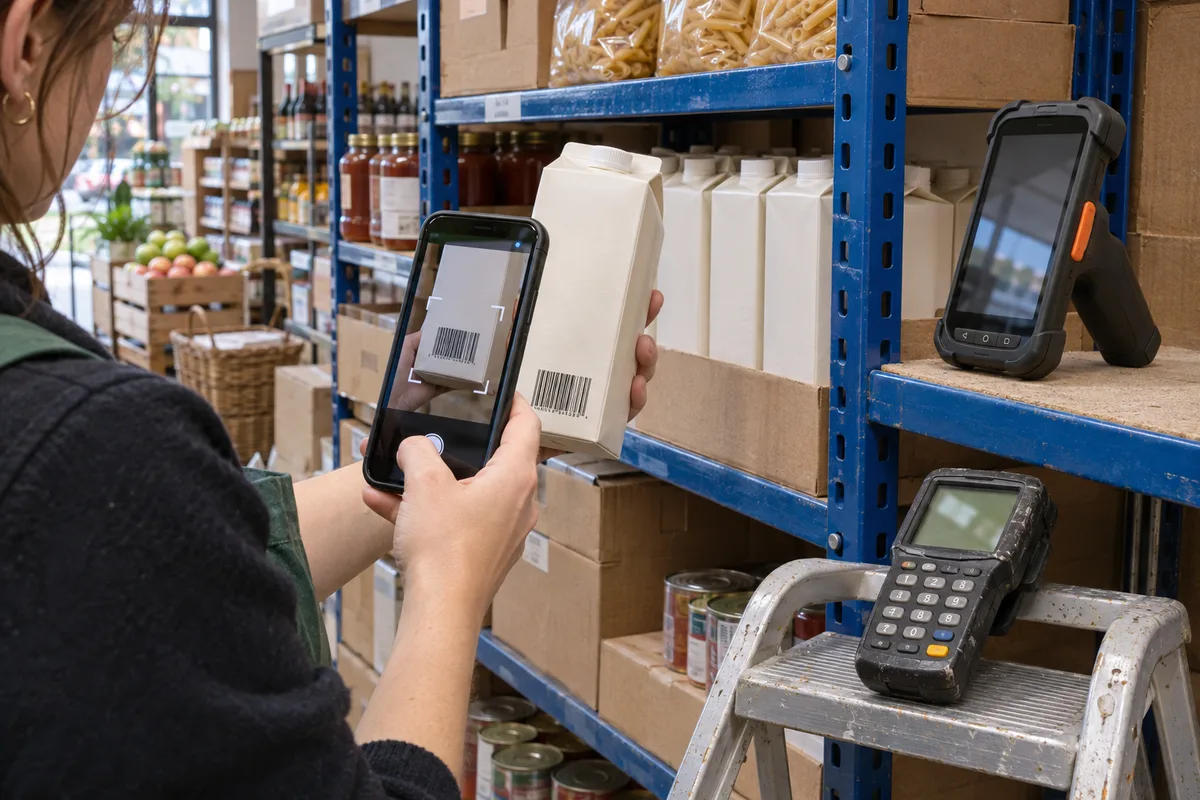
Which free barcode inventory app should I try?
If you run one small shop and want to count offline, send an Excel file and put together a supplier order, start with Retail Scan & Stock. For a sheet you can design yourself, try Orca Scan. If your team identifies gear by photos and folders, look at Sortly. If somebody scans boxes all day, let them try a rugged Android handheld before you order devices.
Seven picks at a glance
Reading down the Free column? Look at what each number counts. One thousand products in a catalog tells you how many things the shop can keep on file. Fifty orders a month tells you how much business can pass through the system. Ask the person who takes over after the count what they need to receive. It might just be an Excel file.
| Pick | Best fit | What you get free | What to check |
|---|---|---|---|
| 1. Retail Scan & Stock | Offline stock counts and supplier orders from a phone | 1,000 catalog products on one device, Excel and CSV, min/max ordering within Free limits | One supplier, five open documents and 30 days of visible history |
| 2. Orca Scan | Scan into a configurable cloud sheet | One sheet and one user, with offline capture and later sync | Confirm the row cap before import. The pricing page gives inconsistent figures. |
| 3. Sortly | Photo-based organization for equipment and supplies | 100 unique items, one user and mobile barcode scanning | Check the tier for guided stock counts and purchase orders |
| 4. Mobile Inventory | Count offline and log stock movements | Basic barcode scanning, inventory transactions and offline use | Repeated exports, team sync and external scanner features can require a paid licence |
| 5. Loyverse POS | Checkout and basic stock tracking in the same POS | Free POS with basic inventory features | Purchase orders and formal inventory counts are in Advanced Inventory |
| 6. Zoho Inventory | Orders and fulfilment in the Zoho ecosystem | US free tier with 50 orders per month | US pricing puts dedicated stock counting and barcode generation on Premium |
| 7. Odoo Inventory and Barcode | Configured warehouse receipts, transfers and deliveries | One App Free on Odoo Online, including required dependencies | Confirm what your setup includes before adding optional apps |

1. Retail Scan & Stock for small shops that count and reorder
Say there are 14 bottles on the shelf and eight in a carton down below. Scan the shelf label or the bottle, check that the app found the right catalog entry, then count in the unit you use. You can tap in a total or scan single pieces to add one at a time. On iPhone and Android, a catalog already saved on the device lets you finish the count even if the stockroom loses Wi-Fi.
You can import your existing Excel or CSV catalog, count it, export the numbers and draft orders on Free. Set up min/max if you want the app to do the reorder arithmetic. The plan covers up to 1,000 catalog products and one device, with one supplier, five open documents and 30 days of visible history. The paid plans make sense when another device needs the same counts or when you want the web cabinet or several suppliers.
Here is where min/max saves a second pass through a spreadsheet. Say you found 7 bottles. Your minimum is 8, your target is 24 and the supplier sells in cases of 6. You need 17 units to reach the target, so the draft proposes 18. That leaves 25 after a full delivery. The app uses suppliers you have already assigned. A plan with several suppliers can split the proposals into separate drafts. Check any open order before sending a new one.
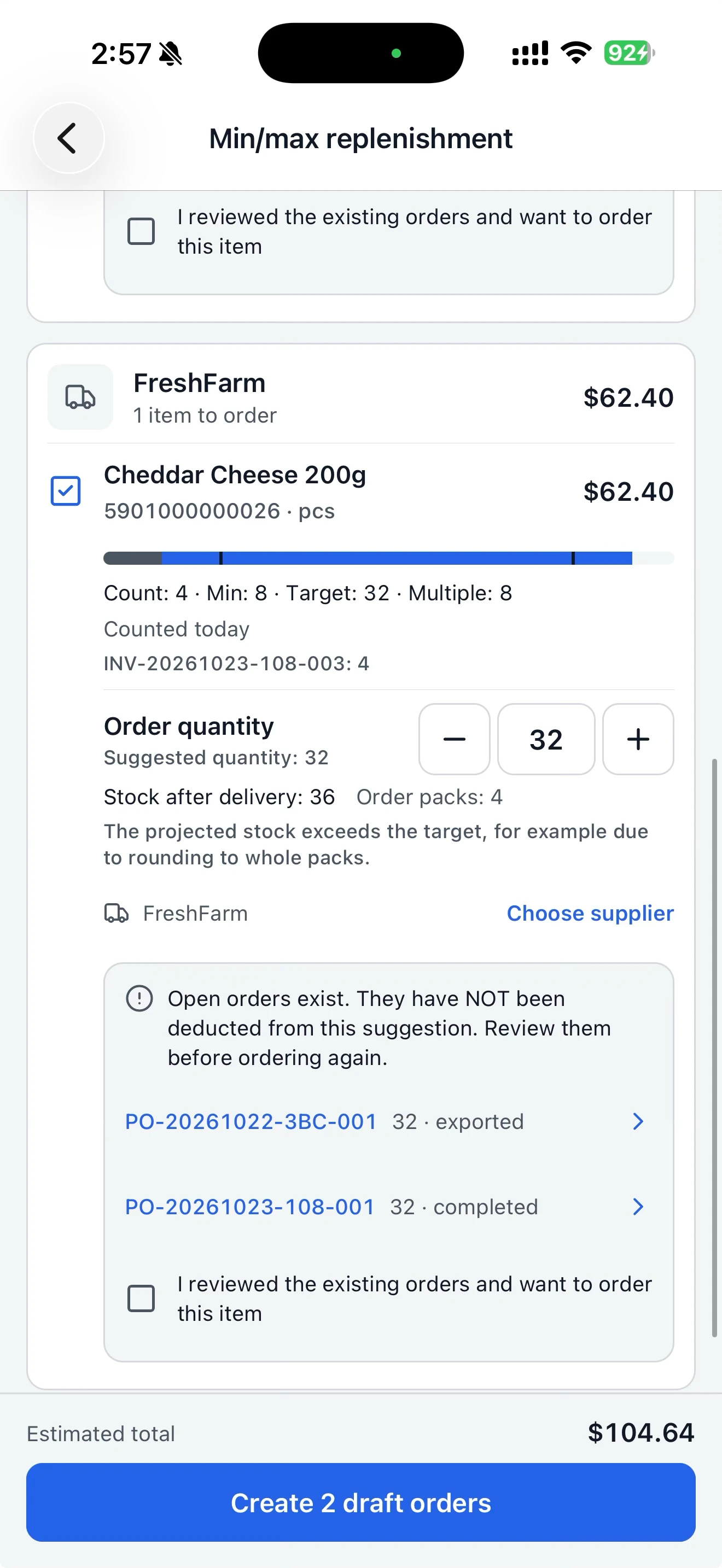
Retail Scan & Stock barcode inventory appRetail Scan & Stock pricingRetail Scan & Stock min/max ordering

2. Orca Scan for teams who think in spreadsheet columns
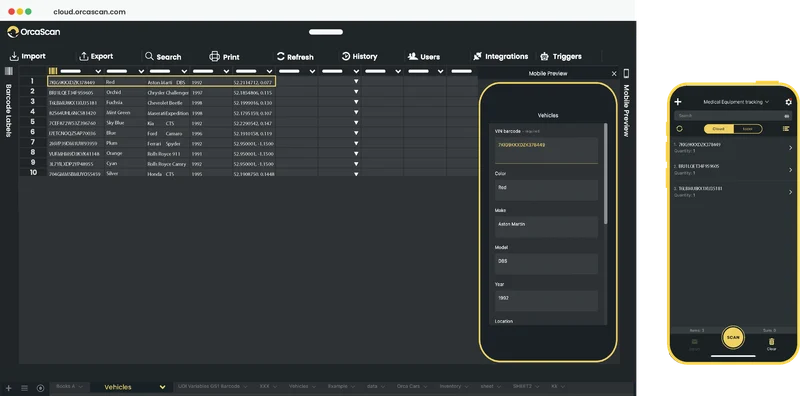
Start with a sheet and choose what each scan should capture. A campus equipment room might log the room, condition and person collecting a projector. The phone can capture entries offline and sync changes when it reconnects. This works well when the sheet is what you need to hand off at the end.
The free tier is for one user and one cloud sheet. The vendor's pricing table lists 100 rows, while one answer farther down the same page says 50. Confirm the allowance before importing a real catalog. Check the separate hardware list for your terminal model.

3. Sortly for a visual inventory of supplies or equipment
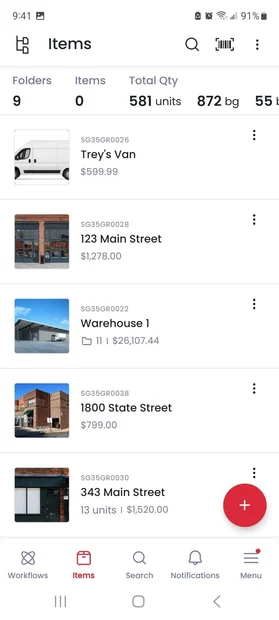
If your team finds tools by photo and storage area, Sortly's folders and item images make sense. Link an existing code to an item and scan it again to open that record. The Free plan allows 100 unique items and one user, which is enough to try it in one supply room.
If you need to print new barcode labels, assign a formal count or create a purchase order, check those rows in the plan table before committing. The ability to open an item by scanning and the ability to run a structured stock count are different features.

4. Mobile Inventory for offline counts and stock movements
A shop that cares about how stock moved between rooms may want an entry for every move. Mobile Inventory gives you that sort of record, plus basic barcode scanning, offline work and product import. Before you make it part of Friday's routine, export twice. The vendor says a new install may allow one manual export. After that, check whether you need a licence, trial access or export credits.
The vendor lists several rugged PDA families. External scanner support is among its Pro features, and Scanner+ is a separate option. Check which input method the licence covers on your exact device.
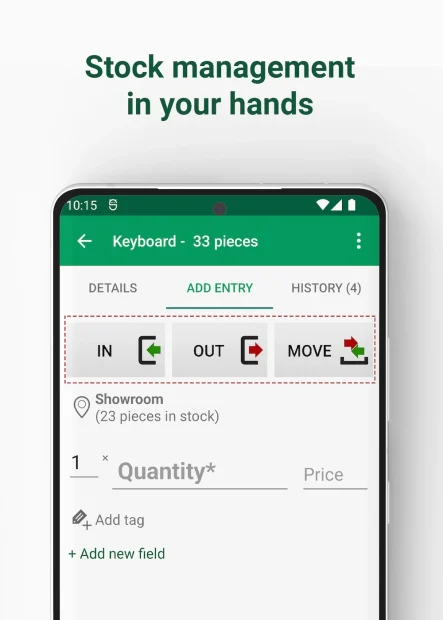
Mobile Inventory product siteMobile Inventory Free and Pro featuresMobile Inventory export help

5. Loyverse POS when the till is the centre of the business
For a cafe or shop that wants the till and stock records in the same system, start by looking at the POS. The basic inventory features come with Loyverse POS. Dedicated inventory counts, purchase orders and transfers are part of its paid Advanced Inventory add-on. Read the price for your number of stores.

Loyverse Inventory ManagementLoyverse Advanced Inventory help

6. Zoho Inventory for order-led businesses
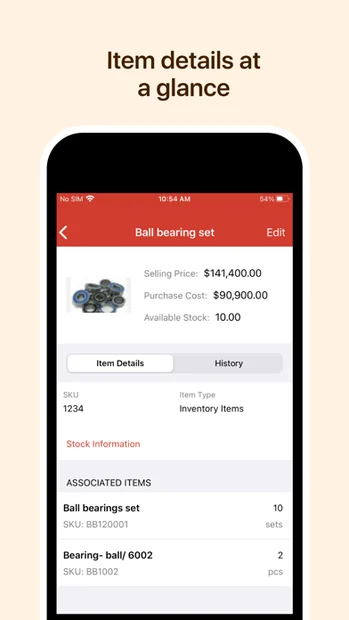
Zoho is a sensible pick when the hard part is keeping sales orders, fulfilment and stock in step. Its US Free plan lists 50 orders a month. If you came for a warehouse count with dedicated count screens or for barcode generation, check Premium in Zoho's US feature comparison. Buying for another country? Check the local plan table before budgeting.

7. Odoo Inventory and Barcode for a warehouse that needs more control
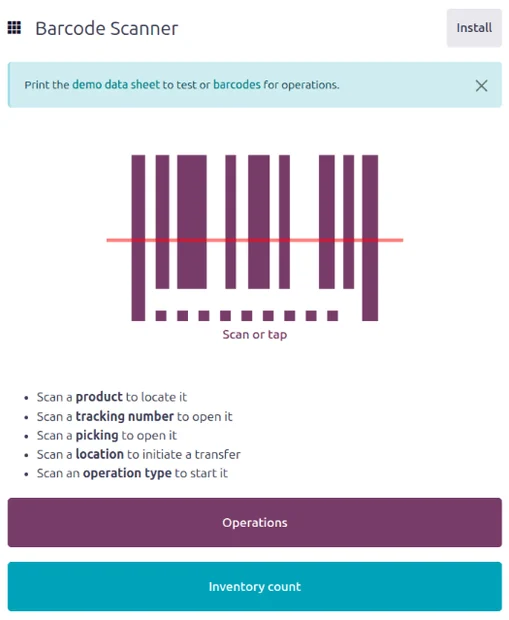
Odoo's barcode workflows fit a warehouse with defined locations, receipts and transfers. The initial work is to set up products, packaging, locations and scanner input. That pays off when several people handle stock using the same operating rules.
Odoo advertises One App Free with its required dependencies on Odoo Online. Ask which apps your intended database needs, then test the Barcode workflow inside it. Compare the setup effort with the time your team spends receiving and moving stock.
Odoo InventoryOdoo plansOdoo Barcode receipts and deliveries
When a phone replaces a legacy handheld, and when a rugged Android wins
With an old keypad terminal, sometimes only one person knows where the cable is or which PC can open the export. A replacement battery or dock is another thing to buy. If your team counts a few aisles once a week, I'd start by running that job on a phone. See how long it takes the next person to learn the routine.
The decision changes if you spend the morning scanning boxes. A side trigger is easier to find with gloves on than a spot on a touchscreen. Some rugged handhelds let you swap a battery mid-shift, and their imagers can help where a phone camera makes you stop and line up each label. That might justify the extra device.
There are two ways to scan on a rugged Android handheld. If it can install Retail Scan & Stock and has a supported camera, try the Android app's camera workflow on that device. For the built-in imager and side trigger, check how the terminal sends data. Zebra DataWedge can send a scan as keystrokes to a focused field. Try that in the app's manual barcode screen and check whether the correct item opens. Full trigger-to-count operation depends on the model, scan profile and app screen. Test your exact setup before buying a fleet.
Zebra DataWedge profilesOdoo barcode scanner setupRetail Scan & Stock barcode inventory app
The free-plan catches you can spot in one shelf count
Take five products from the shelf. Include a code starting with zero and one carton you order by the case. Then hand the exported count to whoever places the order or checks the numbers. Can they make sense of it without calling you over?
- Open the free plan before counting. How many SKUs can you keep, how many devices can you use, and can you still see last month's count?
- Disable the connection after loading the catalog. Scan two labels, record quantities, close the app and check that the saved work is still there.
- Export an actual count to Excel or CSV. Open the result and check that the leading zero survived, the quantities are numeric and you can tell when the count happened.
- Check the carton and each unit separately. Make sure the number you enter is the business unit you buy or count in. Try the order rounding with a known supplier pack.
- If you use a trigger scanner, test from the exact screen where staff will use it. One press should give one code. Confirm the app keeps focus, preserves the zeros and handles repeat presses.
Questions shop owners ask before switching
What can I do with a free barcode inventory app?
Look for camera scanning, catalog lookup, a place to enter physical quantities and a usable export. A scanner that copies a barcode number into a text field only does the first part.
Can an Android barcode terminal run Retail Scan & Stock?
Try the camera workflow on a compatible Android terminal that can install the app. For the dedicated imager, start with keyboard-wedge output in the manual barcode field. Validate the physical trigger, repeated scans and a complete count on your model.
Does a barcode tell the app how many units are on the shelf?
The barcode identifies a product or packaging level. You enter the total or scan units one at a time. Check how the catalog represents cartons and single pieces before you count.
Does Free include min/max supplier orders?
Yes. Retail Scan & Stock Free can use a completed count, a minimum, a target and a pack multiple to propose an order. The one-supplier limit still applies. You review and share the draft yourself.
Sources and product sites
- Retail Scan & Stock barcode inventory app
Mobile camera scanning, physical count workflow and the existing example CSV.
- Retail Scan & Stock pricing
Free catalog, device, history, document and supplier limits.
- Retail Scan & Stock min/max ordering
Min/max rules, order multiples and grouping drafts by assigned supplier.
- Orca Scan mobile barcode system
Mobile and cloud-sheet workflow, with links to supported scanner information.
- Orca Scan pricing
The plan table and FAQ disagree about the Free row cap. Offline access is listed for Free.
- Sortly mobile app
Mobile scanning and organizing stock in Sortly.
- Sortly plans
100 unique items and one user on Free, with a feature matrix for counts and purchase orders.
- Mobile Inventory product site
Mobile stock management, screenshots and a list of PDA families.
- Mobile Inventory Free and Pro features
Offline and scanning features, external input and export distinctions.
- Mobile Inventory export help
Repeat export requirements and expected file formats.
- Loyverse Inventory Management
Basic POS inventory and the Advanced Inventory add-on.
- Loyverse Advanced Inventory help
Inventory counts, purchase orders and transfers.
- Zoho Inventory
Order management, stock and fulfilment workflows.
- Zoho Inventory US plans
Free order allowance and paid stock count and barcode generation features.
- Odoo Inventory
Warehouse application and operating workflows.
- Odoo plans
One App Free and the policy for required dependencies.
- Odoo Barcode receipts and deliveries
Setup and example screens from the vendor's documentation.
- Odoo barcode scanner setup
Mobile computers, Bluetooth and USB barcode scanners.
- Zebra DataWedge profiles
How the terminal can send barcode data to the foreground app as keystrokes.
- Zoho Inventory on the App Store
Developer's official iPhone screenshot showing item details.
- Retail Scan & Stock product screenshots
Retail Scan & Stock min/max replenishment screen.