

Why your phone won’t scan a barcode and how to find the cause
Open the barcode scanner in your app and try a known-good label. If it reads, test the problem label again in diffuse light. If the app captures the code but shows the wrong item or no item, check the decoded value against your catalog.
Print a barcode control sheetBy Neil Singh
Test with one phone and two labels
- Check that the app has camera permission and shows a live preview. Clean the lens, hold the whole code and its blank margins in view, then move back slowly until the bars are sharp. Stay in the same scan mode for both labels.
- Try a label you have already read successfully, or print the test sheet at actual size and use a supported format. If the control fails too, check camera access, focus and the selected scan mode before changing any product records.
- If only the product fails, turn the package away from the light, flatten a loose wrinkle without hiding the bars and look for damage through the bars or margins. Compare the code on another intact package of the same item and size.

A glossy bottle at the till
The paper control reads at once. A strip of ceiling light crosses the bottle’s curved label. Turn the bottle a little and scan again. The phone captures a value, so the optical problem is resolved.
If the app then opens the larger bottle, compare the captured digits with the printed digits and the two catalog records. Keep the small bottle out of the count until you resolve the mapping.
| Result | Next action |
|---|---|
| Neither label decodes | Fix access, focus or scan mode and repeat the control. |
| Only the product fails | Remove glare, check for wrinkles or damage and use intact packaging to confirm the code. |
| Code reads, no item appears | Search for the exact value. Verify the product before adding or linking its code. |
| Code reads, wrong item appears | Check size and variant. Correct the verified record before counting. |
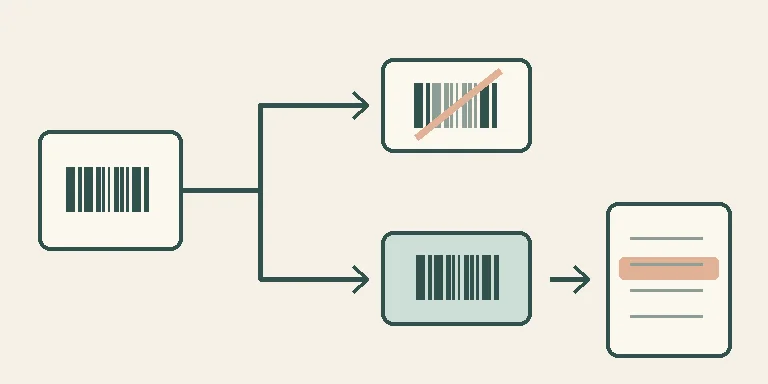
Mistake to avoid
A blank product search alone says little about the label. Look for the captured value or the scanner’s read confirmation before changing a barcode in the catalog.
Keep a two-label test by the till
Set up the control
Keep an undamaged printout that you have tested with that same scanner. Use it before trying an uncooperative label.
Record a repeatable result
Write down the item and size, whether the control read, whether the product read and the captured value if shown. Repeat after one change at a time.