

Minimum is a trigger; maximum is a target
Set a minimum, a target maximum, an order multiple and an assigned supplier on the product. Thresholds belong to the selected store and use the product’s stock unit. A bottle count needs bottle thresholds, even if the supplier delivers cases.
A complete rule needs 0 ≤ minimum < maximum. Blank thresholds mean no complete rule; they are not zero. Minimum 0 is valid. You can edit products individually or update the fields through Excel.
The formula, including packs and decimal quantities
Let S be the selected counted stock. Above the minimum, the suggestion is zero. At or below the minimum, the requirement is maximum minus S. With an additional order multiple P, round that requirement upward to the next multiple.
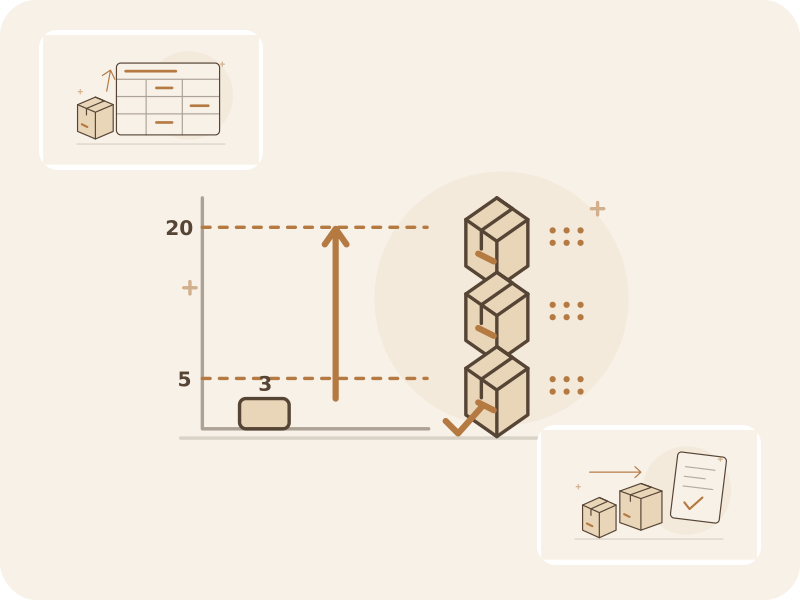
With minimum 5, maximum 20 and count 3, the requirement is 17 bottles. A multiple of 6 means ordering 18, leaving 21 after delivery if nothing else changes. Maximum is a target, so pack rounding can exceed it. A multiple of 1 adds no integer rounding: 7.5 minus 1.2 stays 6.3.
S > Min → 0
S ≤ Min → Max − S
S ≤ Min, P ≠ 1 → ceil((Max − S) / P) × P
| Minimum | Target | Counted | Order multiple | Order | After delivery |
|---|---|---|---|---|---|
| 5 | 20 | 3 | No extra multiple | 17 | 20 |
| 5 | 20 | 3 | 6 | 18 | 21 |
| 5 | 20 | 5 | 6 | 18 | 23 |
| 5 | 20 | 6 | 6 | 0 | 6 |
| 0 | 12 | 0 | 6 | 12 | 12 |
| 2 | 7.5 | 1.2 | No extra multiple | 6.3 | 7.5 |
All quantities in a row use the same stock unit. The final column is counted stock plus the proposed order, assuming no intervening movement. These are instructional examples, not a forecast.
Use counted facts, not missing rows
Choose completed or exported counts from one store. The default uses the latest selected count of each product, based on when its line was counted. A product absent from the selected documents is not treated as zero; record zero explicitly when you checked an empty location. Negative or invalid counts require review; the app does not automatically create an order for them.
Only choose summing for separate parts of one stock, such as a shelf and backroom. Do not add repeated counts of the same stock. Review warnings when the app knows about a newer count outside your selection.
Count
3 bottles counted in the chosen store.
Apply the rule
Minimum 5; target 20. Requirement: 17.
Review the packs
3 packs × 6 bottles = 18 bottles to order.
Conceptual sketch of the calculation. The proposal remains yours to review; it is not sent automatically.
Choose thresholds that fit your replenishment cycle
Use observed consumption, supplier lead time, your count frequency and a practical buffer to choose the minimum. Set the target with shelf space, cash and shelf life in mind. Revisit both after seasonal changes or repeated stockouts; the app uses your settings rather than forecasting demand.
Check a few products before applying rules across the catalog. Order multiples describe the supplier’s permitted order step, not the consumer package size or a promise that a supplier has stock.
Review the order and use the Free workflow
The preview shows sources, count times, thresholds, suggested quantities and pack-related excess. Review existing open orders: they generate warnings and are not automatically subtracted. Adjust quantities, exclude lines or confirm an additional order deliberately.
Free includes settings, Excel updates, multiple selected counts, calculation, order creation and export offline, within 1,000 products, 1 supplier, 5 open documents and 1 device. Plans allowing more suppliers can create separate drafts for those suppliers. Teams synchronize successfully before completing or exporting these orders.
Common questions
Does a count exactly at the minimum produce a proposal?
Yes. A count equal to the minimum qualifies. For minimum 5, target 20 and multiple 6, count 5 produces a proposal of 18. Orders are created only after review.
Can a zero count trigger replenishment?
Yes, including when the minimum is 0. The zero must be explicitly counted; an unscanned product is not automatically empty.
Does the app choose the cheapest supplier?
It groups lines by the supplier assigned to the product or selected in review. It does not compare supplier prices or automatically send the drafts.
Count once, review replenishment line by line
Try the full min/max workflow on the Free plan with one supplier. Keep the counted evidence, quantities and order drafts together.
See the Free plan and limitsContinue the workflow
Sources and method
External reference for general min/max principles.
Oracle: min/max planning principles